
Scale Your Store with WhatsApp WooCommerce
Automate your WooCommerce store with real-time WhatsApp order notifications, abandoned cart recovery, and seamless CRM integration.
🛍️ Get Smart WhatsApp for WooCommerce
The ultimate automation plugin for high-growth e-commerce stores.
Download Plugin (ZIP)Version 1.0.1 • GPLv2 Licensed • Optimized for HPOS
Boost Conversion with Live Notifications
Real examples of how your customers receive orders, cart reminders, and welcome messages.
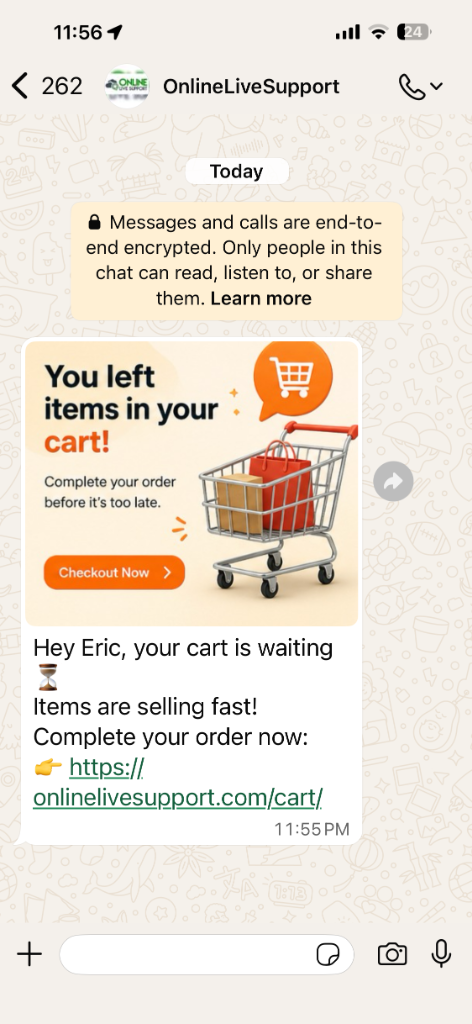
Abandoned Cart Recovery
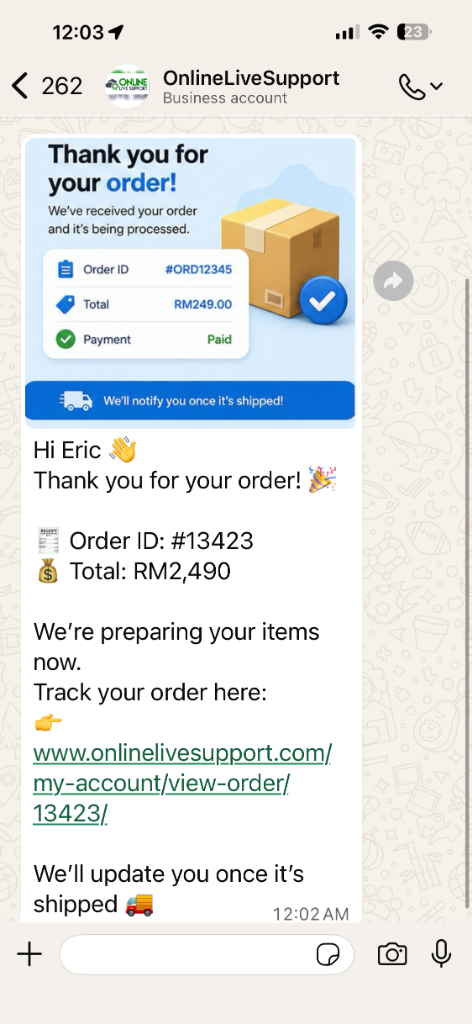
Live Order Tracking
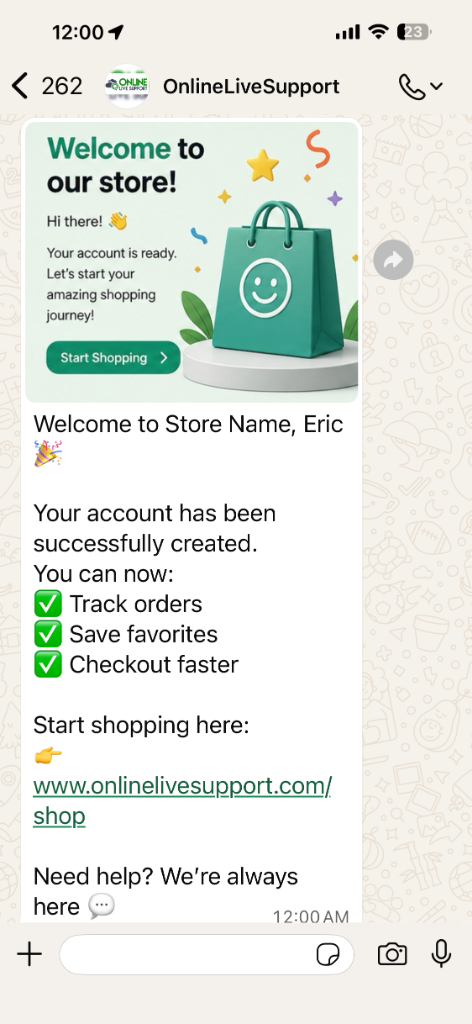
Customer Welcome
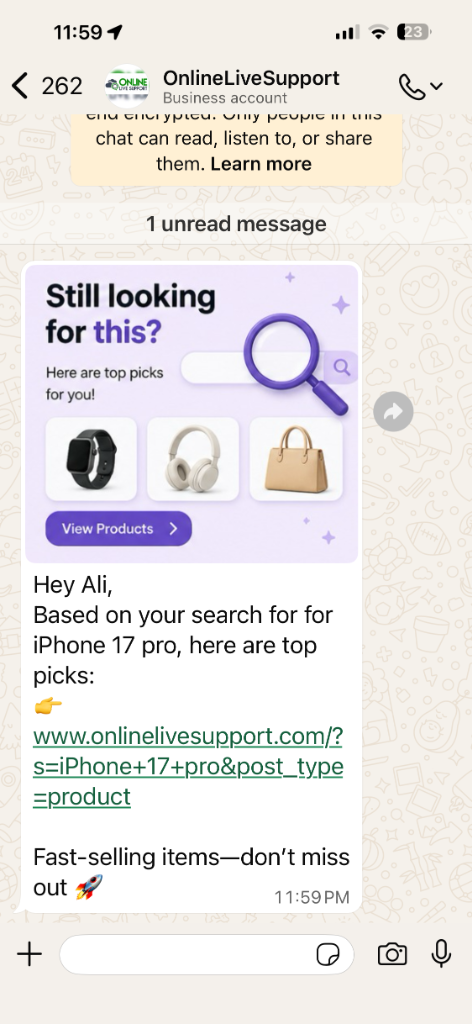
Personalized Recommendations
Premium WooCommerce WhatsApp Features
Bridge the gap between your store and your customers' favorite messaging app.
Automated Order Notifications
Keep your customers informed at every step. Automatically send WhatsApp messages for new orders and status changes.
- Order Confirmation Alerts
- Shipping & Delivery Updates
- Fully Customizable Templates
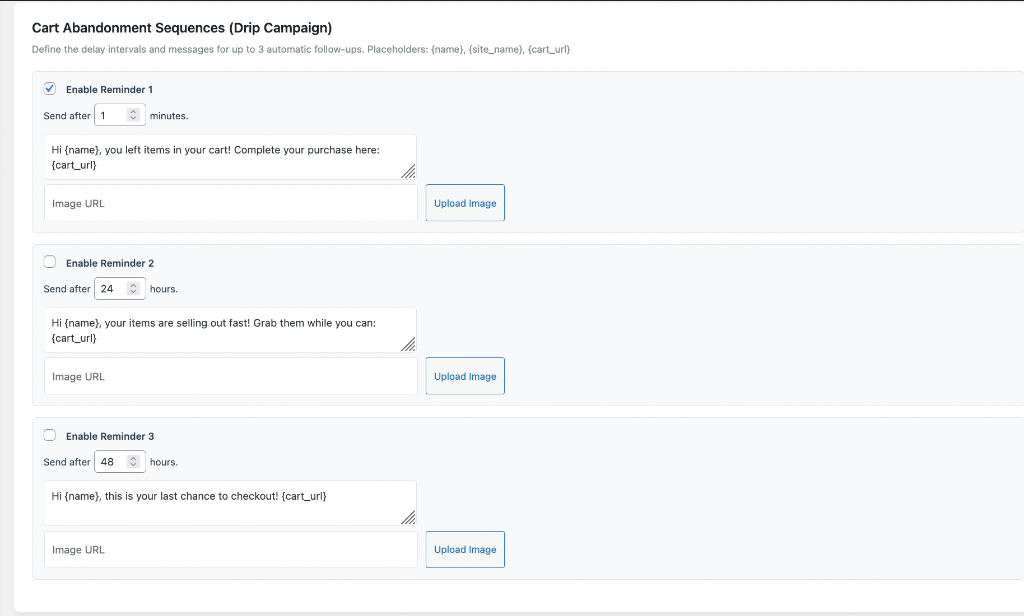
Recover Abandoned Carts
Turn "lost" visitors into loyal customers. Our 3-step drip campaign sends timely reminders to finish the purchase.
- Automatic Follow-ups
- Dynamic Cart URLs
- Proven Conversion Uplift
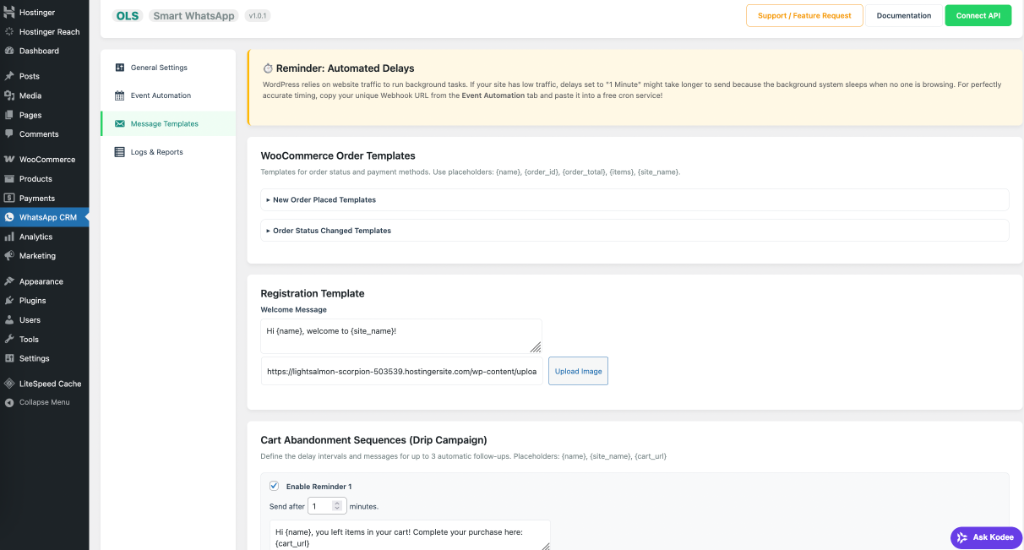
Seamless CRM Integration
Sync all your WooCommerce customer data and chat logs directly with the OnlineLiveSupport CRM dashboard.
- Unified Customer Profiles
- Multi-agent Team Inbox
- External Webhook Support
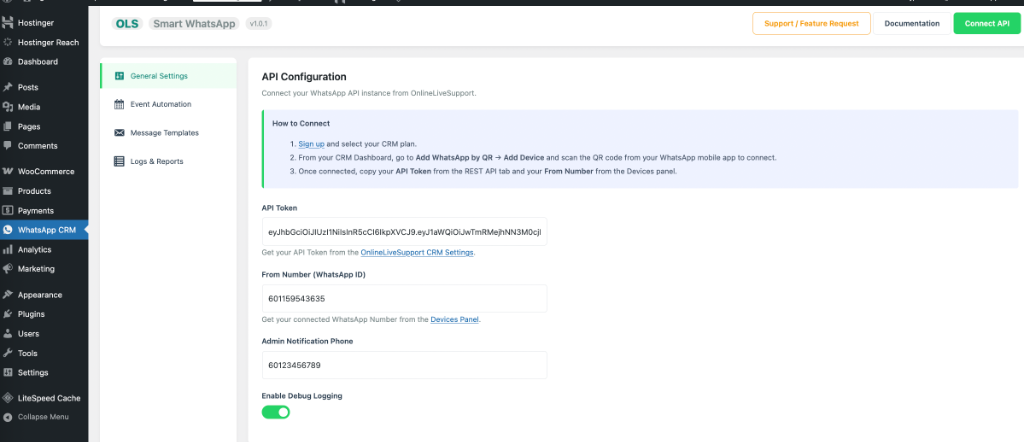
Results from Store Owners
Real feedback from businesses using WhatsApp for WooCommerce.
"Using eCommerce automations by using Online Live Support, it manage to improve the conversations more than 40%. Previously email they were getting not more than 10%."

"One of the best and reliable services I have ever used. Simple, efficient and cost effective for our WooCommerce store."

"The reliability is unmatched. Our WhatsApp order notifications are delivered instantly every time."

WhatsApp WooCommerce FAQ
Learn how to optimize your store with WhatsApp.
How to add WhatsApp button to related product WooCommerce?
Our plugin automatically integrates with your product pages. You can also use the floating button settings to ensure it appears next to your related products for instant conversion.
How to change add to cart to WhatsApp order WooCommerce?
While our plugin focuses on notifications, you can use the prefilled message feature in our floating button to allow customers to order directly via WhatsApp with the product URL attached.
How to insert WhatsApp link in WooCommerce?
The plugin handles this automatically. You can also customize your message templates to include dynamic {product_url} or {cart_url} links for your customers.
Does this support WooCommerce HPOS?
Yes, Version 1.0.1+ is fully compatible with High-Performance Order Storage (HPOS) for maximum speed and reliability on large stores.
Can I customize the order status messages?
Yes! Every notification event has a customizable template with placeholders like {name}, {order_id}, and {order_total}.